
Spain · France+34 911877477info@i6net.com9:00am 6:00pm CET

How to start?

Follow these six steps to build your Interactive Voice and Video Response System (IVR / IVVR):

  1. Select your Linux Server
  2. Install a TDM Board E1/T1 (Optional)
  3. Setup Asterisk PBX
  4. Setup VXI* VoiceXML Browser
  5. Setup Xtras* Extensions
  6. That’s all, go!

Steps:

1. Select your Linux Server

Select a common hardware server, you can take 1U and install a Linux 32bit / 64bit OS. We recommend to use distributions like Debian/Ubuntu, CentOS/Redhat to avoid any specific kernel or libs configurations during the setup.

2. Install a TDM Board E1/T1 (Optional)

Plug-in a Digium compliant TDM board to add E1/T1 access to your server. If you want to connect 3G-324m networks this step is required. If you use VoIP (SIP,…) you can skip this step and use only Ethernet.

tdmcard

3. Setup Asterisk PBX

Install a standard Asterisk PBX 1.4/1.6 release from binary packages or build it yourself from the sources. If you have added the TDM board you will need to configure Zaptel drivers for your E1/T1 connexions.

setup-asterisk-320

4. Setup VXI* VoiceXML browser

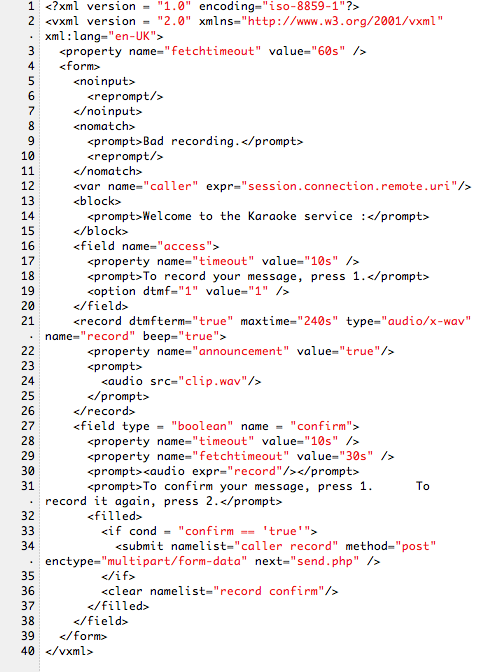
Add the VXI* VoiceXML browser, unpack and start it; you have one trial port to test your own standards-based VoiceXML 2.0+ applications. For production services, you need to activate your license to get the number of ports required for your phone self-service.

setup-vxi-320

5. Setup Xtras* Extensions

If you want to run 3G videocalls install our 3G-324m stack for Asterisk. Install and configure your favorite Text-to-Speech (TTS), Automatic Speech Recognition (ASR) or many or other Xtras* Extensions available.

setup-xtras-320

6. That’s all, go!

Congratulations! You have now a powerful IVR / IVVR system ready to manage your own VoiceXML applications. You can start to deploy any advanced voice and video interactive services over SIP/SS7/ISDN/3G networks.

folks

Menu