- I6NET Solutions and Technologies


Blog
December 18, 2014
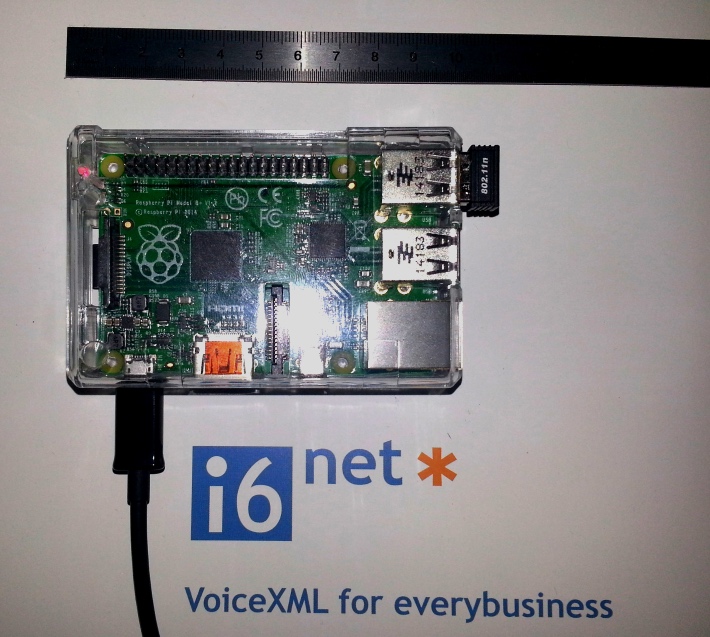
This is the smaller IVR VoiceXML 2.1 compliant! 5 Ports of VoiceXML into a small box…buiit with Vxi 11 (2015 release) over Asterisk 11.13. *CLI> vxml show version Version : V11.0 CVS Revision : $Revision: 1.719 $ Source file : Wed Dec 17 · 09:51:54 2014 Compilation : Dec 17 2014 · 09:52:19 Build with : Gcc : V4.6 Arch : 32 bits Target : arm Asterisk : V11.13.0 : by root@raspberrypi : on armv6l/Linux 2014-12-15 20:07:47 UTC For more information: http://www.raspberry-asterisk.org/ [dt_divider style=”narrow”/] Want to know more… [dt_divider style=”narrow”/]
December 6, 2013

Today, we are pleased to unveil our new webphone template (Web Browser Client*) to make voice and video calls from anywhere with an Internet access to any PBX system (Asterisk, Avaya, Cisco or others…) or making peer-to-peer calls from a website. This web call solution works directly on any desktop web browser (Firefox, Chrome, IE, Safari, Opera,…) equiped with a flash player (that’s currently 99% of current web browsers), no external plugins, no browser extensions installation or java applets will be required. Remember, this solution doesn’t require to implemente a Flash Media Server, it works directly over Vxi*/Asterisk servers with a native call processing in RTMP protocol. [anything_slider title=”” column=”full-width” autoslide=”3000″ slider_id=”11601″/] Main features: Fully customizable GUI (open source SWF) Call transfer to an external/internal SIP extension Nat pass thru / works on any WIFI / 3G / 4G data […]
November 10, 2013
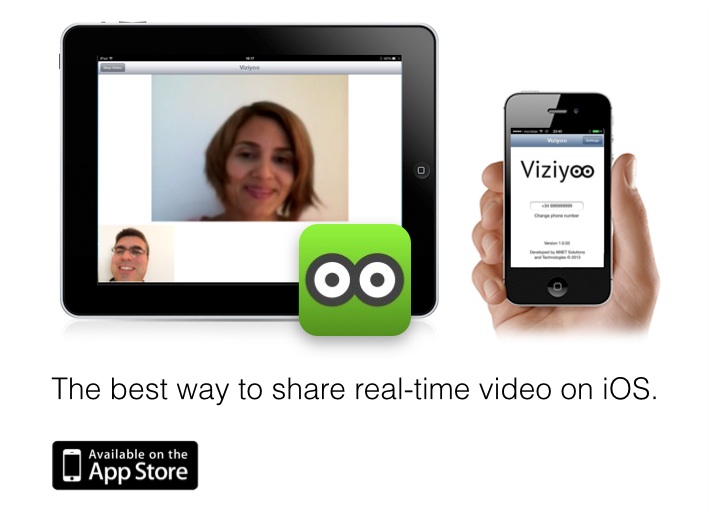
Viziyoo is now available for your iPhone and iPad too. After some weeks we have released the new iOS app. which allows you to share a real-time video when your are calling. It works over any WI-FI or 3G data access, you can call from your own cellular or any other external phone, no account is required to start enjoying smart video with all your friends. Viziyoo has been developed by I6NET and runs over our software components. One more thing… Viziyoo is also available on Android, both app. works using the same way. Now you can make video calls from any iOS, Android devices and Web browsers too. Source: Apple Store – Viziyoo app for iOS [dt_divider style=”gap”/] More information: http://www.viziyoo.com
August 22, 2013
Currently, is still in development discussion for its complete implementation whereas (under Vxi*/Asterisk implementation) is already available for any project’s deployments. We have prepared this summary to clarify what are the main features and how to move forward for your business. We consider, WebRTC is a solution for the future and RTMP a solution for the present that could be required for a while. The question is not whether WebRTC or RTMP, the question is: RTMP, yes sure and WebRTC too, if all industry adopt it properly and make it interoperable over all the web and telephony systems… The right choice in 2013 and for next years, is to select RTMP to wait for WebRTC complete maturity and continue working with both over your Vxi*/Asterisk platform. Remember, you may know that WebRTC could loose the current battle for its standardization and interoperability, […]
August 12, 2013
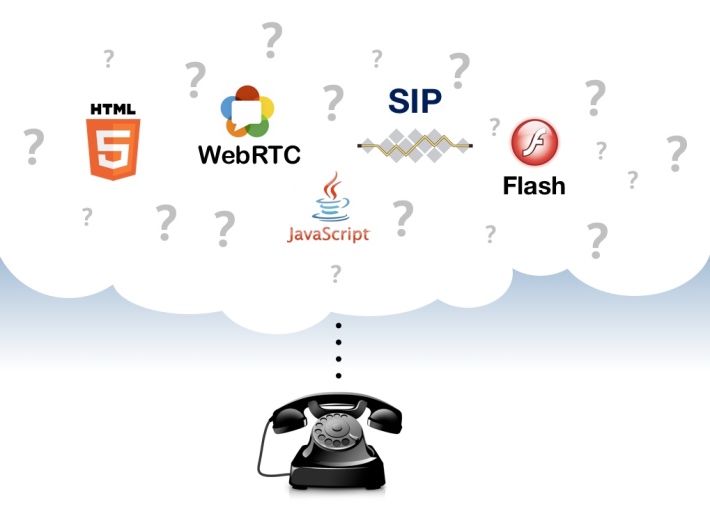
One of the main questions and answers today about: What will be the future of making phone calls from any Web Browser? , , , , , … Most people who are reading tech news thinks that the future is already here, and HTML5 is a standard, which gives us possibility to create real-time audio/video communications () in desktop or mobile devices. Unfortunately, it’s not true. Let’s talk about what is real. [dt_divider style=”double-gap”/] [dt_divider style=”double-gap”/] [dt_divider style=”narrow”/] One more thing…? [dt_divider style=”narrow”/] Some other articles you may read: Flasphoner: Do you think HTML5-WebRTC Phone Ready? not yet OnSIP.com/blog: WebRTC, SIP and HTML5 brief introduction InfoWorld.com: WebRTC Browser communications standard has serveral hurdles clear Pro.Clubic.com: Interview w3c retour enjeux WebRTC Formtek/blog: WebRTC to Enable Peer-to-Peer Browser Communications [dt_divider style=”narrow”/]
June 11, 2013
We are pleased to share with your a small Real Time Communications (RTC) demo from our Labs running both our SDK for iOS and Android to make your own apps videocall-enabled. Quality results are really good as you can check here by yourself, you will get soon two interoperables SDK to connect your Vxi*/Asterisk services from any smartphone or tablets: Client* RTMP for iOS SDK Client* RTMP for Android SDK Video: [framed_video column=”three-fourth”]http://youtu.be/SoeZkSUN0LI[/framed_video] Youtube link: http://youtu.be/SoeZkSUN0LI
June 9, 2013
Great news! from our Labs… Find bellow, the first screenshots about our latest 100% native stack for RT video-communications over iOS devices (iPhone, iPad…). [anything_slider title=”” column=”half” autoslide=”0″ slider_id=”11180″/] Link at Flickr: http://www.flickr.com/photos/i6net/sets/72157634005836127/ More information: http://www.i6net.com/products/clients/ios/
April 9, 2013

[anything_slider title=”” column=”three-fourth” autoslide=”3000″ slider_id=”10888″/] New features: Settings, to change video, audio, fps, qos, screen size… Microphone on/off Webcam on/off Keypad on/off* Chat messaging (pop-up) Product Description: http://www.i6net.com/products/clients/web-browser/ Screenshots: http://www.flickr.com/photos/i6net/sets/72157633148790295/ Online Demo: http://demo.i6net.org/phone/ User Guide: [download id=”153″ format=”1″ autop=”false”] Videocall Peer-to-Peer Demo: Register using a name or number: demo1 Register using another name or number from another computer: demo2 From demo1, enter demo2 in the web phone and press the call button Now the web phone 2 is ringing… pickup the call, pressing the call button Videocall established! Videocall Demo (Tests): Call 0001 Video Stream 3GP! (your first video VoiceXML example!) Call 700 Echo Test (Video) For more information, about specific web videocall services over RTMP, please contact us. We will show you more interactive applications or video contact center configurations. Remember, all these demo services can work with a […]
April 3, 2013
A picture is worth a thousand words… [anything_slider title=”Screenshots” column=”half” autoslide=”0″ slider_id=”10830″/] Link at Flickr: http://www.flickr.com/photos/i6net/sets/72157633112145128/ More information: http://www.i6net.com/2013/04/01/new-video-phone-app-client-for-android-os-released/
April 2, 2013
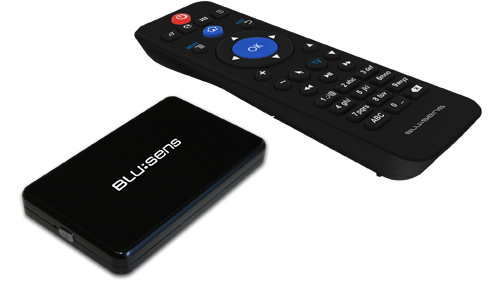
Blusens SmartTV mini is a new Android powered setup-box for any TV. We are pleased to share with your a small Real Time Communications (RTC) demo from our Labs with this small dual core Android 4.0 device running our latest Android Client* SDK. Quality results are really good as you can see on the short video test. [framed_video column=”three-fourth”]http://youtu.be/rg5-4IW6ZM4[/framed_video] Youtube link:http://youtu.be/rg5-4IW6ZM4